
Analytics
Website analytics overview
Understand visitors, sources, devices, popular sections, and contact actions.
- analytics
- visitors
- conversions
- traffic
Open Website analytics
Sidebar Website opens analytics (/analytics). Choose a range: 7 days, 30 days, 90 days, or year (default 30 days).
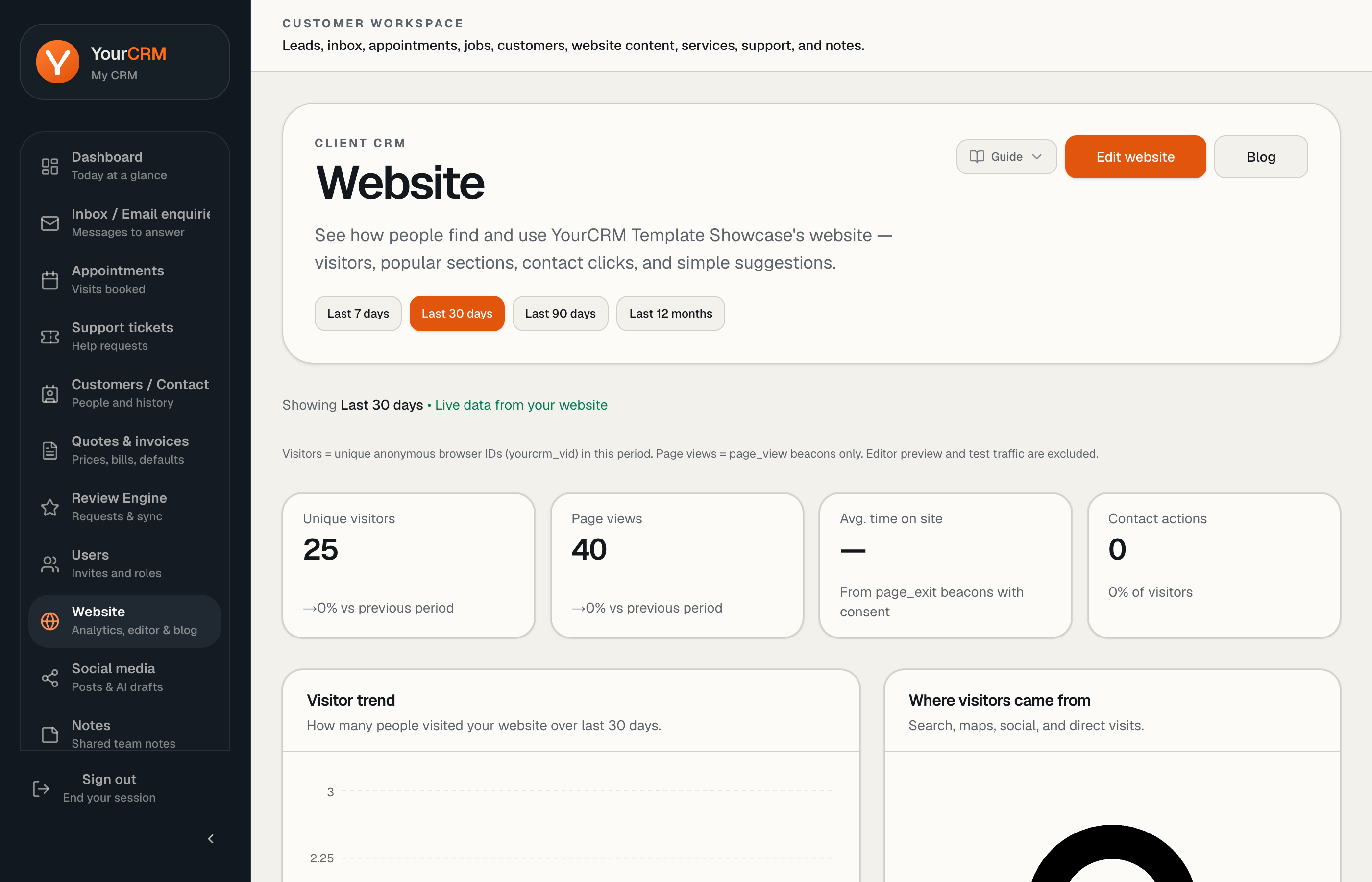
Overview cards
- Unique visitors — distinct visitors (YourCRM visitor id), with change vs the previous period
- Page views
- Average time on site — from consented exit beacons when available
- Contact actions — form sends, phone taps, email clicks, quote button clicks, with a simple conversion rate
Editor preview traffic and obvious bots are excluded from counting where possible.
Charts and lists
Depending on data available you will see:
- Visitor trend over time
- Where visitors came from (search, maps, social, direct, and similar)
- Devices (mobile / desktop / tablet)
- UK locations
- Popular sections (Services, About, Gallery, …)
- Website actions that became enquiries — with links through to inbox where relevant
- Plain-English insights and suggestions
Some panels (for example peak times or search terms) show “not collected yet” until enough signal exists.
Privacy
Analytics is designed to help you run the business without pretending to be invasive tracking. Cookie and consent behaviour on the public site follows your site configuration and applicable law — see also the yourcrm.org privacy and cookie policies for the marketing site.