
Quotes & invoices
Quotes and invoices
Create pricing documents, set account defaults, and track draft vs open work.
- quotes
- invoices
- billing
- defaults
One documents workspace
Quotes & invoices opens a shared documents list. You can filter by quotes vs invoices and by status. Summary cards show drafts, open documents, and total value at a glance.
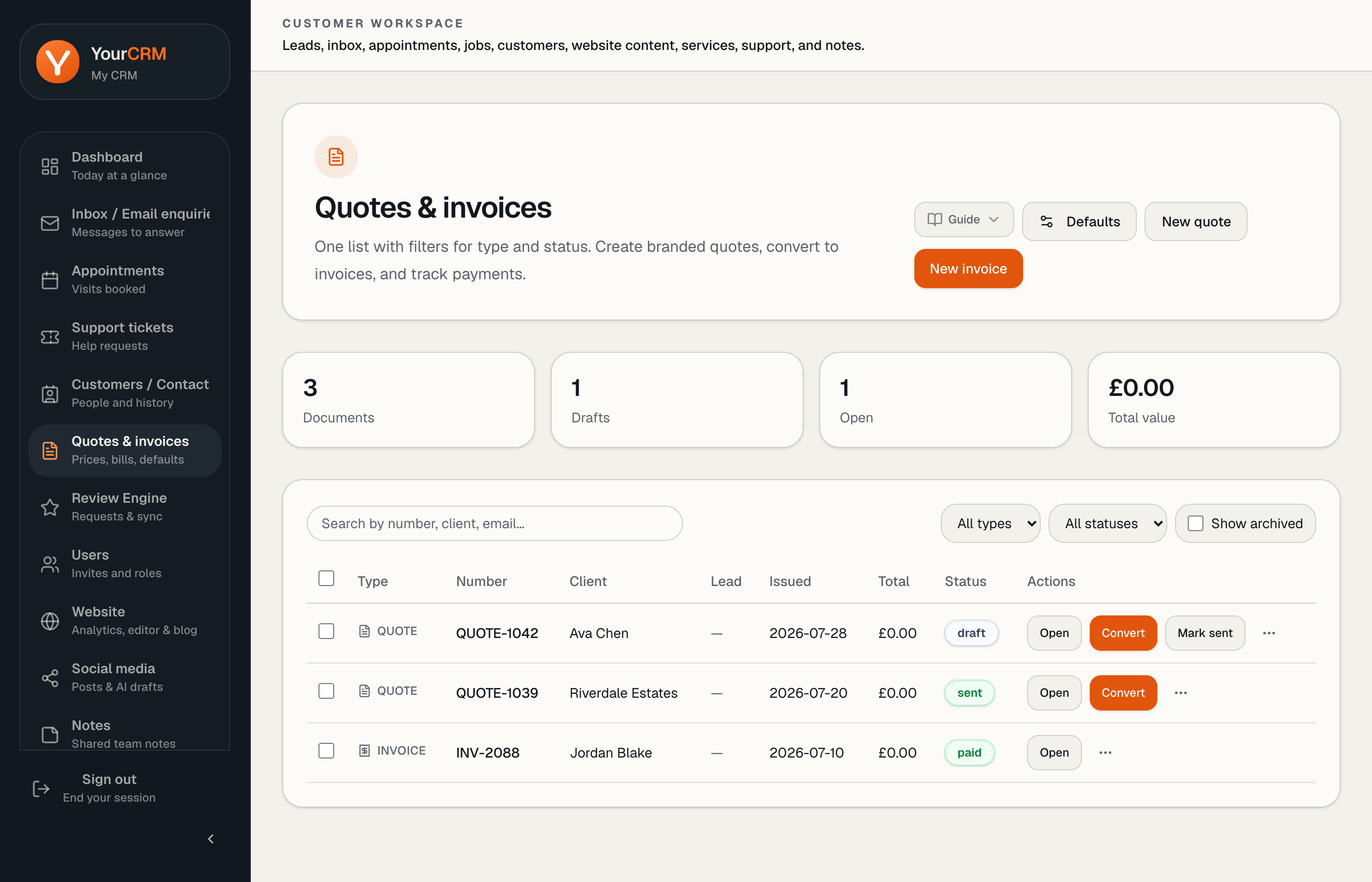
Create from New on the quotes or invoices routes, or convert later.
Defaults
Open the Defaults panel to set account-level terms & conditions, notes, and bank details. Those defaults save you retyping on every document — keep bank details exact.
Sending and printing
From a document you can edit line items, send by email, and open a print/PDF view. Use clear descriptions so customers know what they are approving.
Tips
- Attach quotes to the right customer record
- Keep statuses honest (draft vs sent) so the list filters stay useful
- For VAT or legal wording, use defaults reviewed for your business — YourCRM provides the tool, not accountancy advice